
The assessments we have compiled from various sources have been carefully developed to help you monitor your pet’s pain, comfort, and mobility at home. They are designed to be quick to complete, simple to repeat, and provide a summary of your dog’s condition at a specific point in time. This information can be used to track ongoing treatment and can be printed or emailed and shared with your veterinarian.
General Tips Which Apply To Every Assessment
-
Select the most representative answer. For most prompts, focus on your pet’s behavior and experiences from the past week rather than recalling a single best or worst moment. These assessments are more suited for pet owners, as they are in the best position to notice any subtle changes in their pet’s condition and can see this over a longer period of time.
-
Provide one answer per line. Each row represents a single prompt, and there are typically several options available. There should be only one answer for each prompt, and the assessment will not allow you to select multiple responses. The last selected option will always be chosen, and any previous selection will be deselected.
-
Typically, an initial test is conducted for various assessments, serving two primary purposes. First, it offers insight into your pet’s current condition. Second, it establishes a baseline for comparison in future tests after ongoing treatment. This approach allows you to clearly evaluate the effectiveness of different actions, enabling you to focus on what works best for your dog. If you conduct follow-up assessments, try to schedule them at the same time of day and under similar activity levels (for example, it may not be an accurate comparison if one of the follow-up tests is immediately after a particularly long walk).
-
By default, the results you enter are stored locally in your browser and are never sent to us. We recommend completing the assessment in one sitting. However, if you need to consult someone else or gather more evidence for one of the observations, be default, your current progress is automatically saved, allowing you to continue where you left off at any time. If you are conducting follow-up assessments, this feature allows you to update any previous responses that have changed over time. If you prefer to start anew, you can click the Reset button to clear all data. If you prefer not to use this local saving feature, you can disable it by unchecking the option “Remember the entered results on this device”. Disabling this option will stop the local saving functionality and clear any stored data. More information on this is provided below.
-
Once an assessment is complete, additional options will become available. You can create a PDF version of the results and the final score, which can be printed, saved for future reference, or attached to an email to share with a third party, such as your vet. There is also an option to copy the results, allowing you to save the data to your clipboard. You can then paste this information into a text document or into an email.
- All assessments have the ability to collect and store historical data of final scores in the browser’s local storage. This information is presented in a table format at the bottom of each assessment page. While this data is valuable for tracking changes over time, it only records the calculated scores and does not store individual responses to the prompts. Additionally, this data can be exported as a CSV file and imported into spreadsheets or other compatible software.
-
The assessments are decision-support tools designed to help you observe, document, and share any changes in your pet’s comfort and mobility. However, they are not a substitute for joint examinations, X-rays, blood tests, or hands-on evaluations by a veterinarian. Only a veterinarian can diagnose medical conditions, prescribe medications, or rule out potential health issues.
If you complete an assessment and have concerns or are unsure about what the scores indicate, it’s essential to contact your vet. Use these tools to organise your observations and facilitate better conversations with your veterinary team. If something seems wrong or if the scores are trending negatively, reach out to your vet. Relying on your intuition, combined with professional assessment, is the safest approach for your pet.
-
Sudden, severe, or persistent pain; collapsing; yelping; growling when touched; inability to settle; rapidly worsening lameness; fast or labored breathing; open-mouth breathing in cats; and failure to stand are all signs of an emergency. In these situations, it is crucial to seek immediate veterinary attention.
Which Assessment Should You Use?
Your content goes here. Edit or remove this text inline or in the module Content settings. You can also style every aspect of this content in the module Design settings and even apply custom CSS to this text in the module Advanced settings.
1) Canine Brief Pain Inventory (CBPI)
When to Choose the Canine Brief Pain Inventory
Use the Canine Brief Pain Inventory (CBPI) if your dog is experiencing suspected or confirmed chronic pain, such as osteoarthritis. This tool provides a comprehensive view of both the intensity of pain and its impact on daily life. It is a solid choice when you’re unsure which assessment tool to begin with.
What It Measures.
The CBPI generates two main scores. Firstly there is the Pain Severity Score (PSS) which summarises your dog’s worst, least, average, and current pain levels on a scale of 0 to 10. Additionally there is the Pain Interference Score (PIS). This score reflects how pain affects various aspects of your dog’s life, including general activity, enjoyment, rising, walking, running, and climbing stairs. An optional quality of life question helps contextualise the scores.
How to Read the Results
Lower total scores indicate better comfort and less interference in daily activities, while higher scores suggest more severe pain and a greater impact on functionality. The live status bands (Normal, Mild, Moderate, Severe), calculated based on the final score, offer a quick way to gauge where today’s score falls, but their trend over time is more significant than any individual reading.
Typical Use and Timing
Most dog owners can complete the CBPI in about 4 to 6 minutes. It is recommended to repeat the inventory weekly during treatment changes and monthly once your dog’s condition is stable. This regime allows you to track whether the scores are improving.
Strengths and Limitations
The CBPI is a well-established tool that is sensitive to changes, making it valuable for monitoring responses to therapy. By focusing on both pain intensity and interference, it often captures significant improvements that other pain scales may overlook. However, it’s important to note that the CBPI is based on owner reports and is not specific to any particular condition. While higher scores indicate an impact, they do not pinpoint the exact cause of the pain.
2) Canine Mobility Assessment (CMA)
When to Choose the Canine Mobility Assessment (CMA)
Select the CMA when your primary concern is your dog’s mobility. This includes issues such as stiffness after rest, reluctance to play or jump, difficulty navigating stairs, or tiring quickly during walks. The CMA provides a concise way to quantify day-to-day movement problems without needing to complete a slightly more extensive pain inventory.
What It Measures.
You rate your agreement with six mobility-related statements. The scoring is designed so that a stronger agreement with mobility difficulties results in a lower total score, indicating more significant mobility problems. This structure clearly shows improvements as the score rises on the scale.
How to Read the Results
Use the final score after completing all prompts as a quick guide to your dog’s mobility and the level of pain they may be experiencing. Totals range from 6 to 30 with distinct bands help to with quick interpretation: 6–7 very severe, 8–14 severe, 15–21 moderate, 22–28 mild, and 29–30 probably not affected. Generally, higher scores indicate better mobility and less pain. As with all tools, you should pay most attention to the direction of change across repeat assessments.
Typical Use and Timing
The CMA takes approximately 3 to 4 minutes to complete. It is ideal for weekly check-ins after medication, weight management, or exercise adjustments.
Strengths and Limitations
CMA is a fast and simple tool specifically designed for assessing mobility. It is particularly beneficial for pet owners who struggle to interpret pain levels using a 0–10 scale. However, it does not directly differentiate pain from other factors that can decrease activity, such as low fitness levels or changes in behavior. Therefore, it is important to use CMA alongside veterinary advice.
3) Feline Mobility Assessment (FMA)
When to Choose the Feline Mobility Assessment (CMA)
Choose the FMA when you notice subtle changes in your cat’s behavior that may indicate discomfort, such as reluctance to jump, reduced grooming, less social interaction, or decreased playfulness. Cats often hide their pain, so careful observation is particularly important. This is sometimes difficult if you have a cat which spends quite a lot of time outside.
What It Measures.
The FMA involves rating your agreement with six statements related to cat-specific behaviors that commonly change with pain or mobility issues. Similar to the canine mobility assessment, a lower total score indicates greater concern regarding your cat’s mobility.
How to Read the Results
Totals range from 6 to 30 with the same interpretive bands as CMA: 6–7 very severe, 8–14 severe, 15–21 moderate, 22–28 mild, 29–30 probably not affected. After an initial assessment, repeated tests help to show whether treatment is genuinely improving day-to-day function.
Typical Use and Timing
Most owners can complete the FMA in 3 to 4 minutes. Consider repeating the assessment weekly when starting or adjusting treatment, and then monthly for ongoing monitoring.
Strengths and Limitations
The FMA is quick and reflects real-world behaviors that cat owners observe at home, which may not be as apparent during a brief veterinary visit. As an owner-reported tool, it is sensitive to changes in the environment and routine. Unusual circumstances (such as visitors, construction work, or extreme weather) can temporarily affect scores, so it is sometimes helpful to include brief context notes if you sharing results.
4) Helsinki Chronic Pain Index (HCPI)
When to Choose the Helsinki Chronic Pain Index (HCPI)
Use the HCPI if your dog has ongoing, multi-dimensional chronic pain and you want a broader view of behaviour and movement, covering mood, willingness to move at different gaits, jumping, lying down and rising, and stiffness after rest or heavy exercise.
What It Measures.
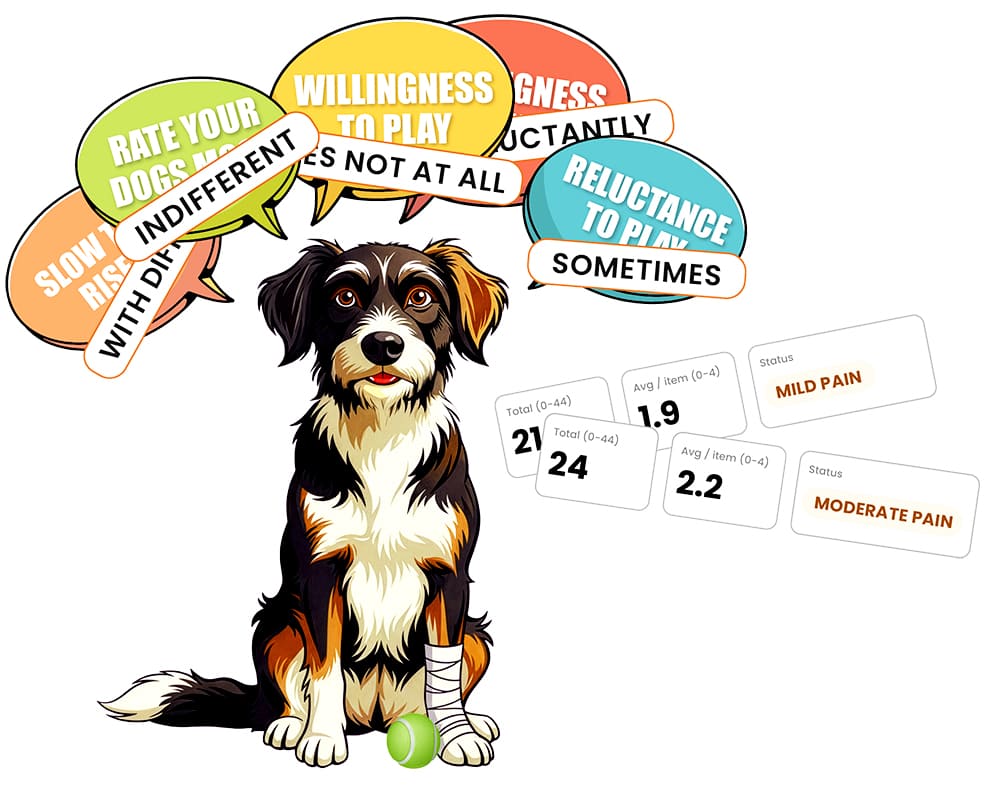
There are 11 items, each scored 0–4 from left to right. The assessment reports a Total (0–44) and an Average per item (0–4). The average value was originally added to the assessment so comparisons could be made to multiple results with the odd missing response.
How to Read the Results
There are 11 items in the assessment, each scored on a scale from 0 to 4, from left to right. The total score can range from 0 to 44, and there is also an average score per item, which falls within the same 0 to 4 scale. The inclusion of the average score helps facilitate comparisons across multiple tests, even if some responses where missing. However, when designing the online version of the assessment, it was decided that all prompts must have a recorded response before finalising the results and allowing the assessment to be saved.
When the HCPI (Health Chronic Pain Index) was first developed the assessments were created and validated without any pre-set interpretation bands. Over time, some veterinary resources introduced informal interpretive ranges to help clinicians and owners make sense of totals at a glance. A common set now used in practice and in our online version are defined as: 0–11 no perceivable pain, 12–22 mild, 23–28 moderate, 29–33 severe, and 34–44 debilitating. Some secondary sources summarise that healthy dogs typically score 0–11 dogs suffering chronic pain have a score of 12 or above.
Typical Use and Timing
The Helsinki Canine Pain Index (HCPI) is most effective when used to track changes over time. While a single score (ranging from 0 to 44) provides a snapshot and serves as a useful baseline, its true value lies in analysing a series of scores. This method effectively shows whether pain and function are improving, remaining stable, or worsening in everyday situations at home. Most owners can complete the HCPI in 5 to 7 minutes. It’s advisable to repeat the assessment weekly when starting or adjusting treatment, and then monthly for ongoing monitoring.
Strengths and Limitations
The HCPI captures a wide range of behaviors and is responsive to both minor and significant changes. Although it is a longer assessment than some other evaluations, it has been shown to work well as a repeated measure to identify trends.